Weekly Reporting Platform
A Power Apps and Power Automate reporting system used by five departments at NEC Laboratories America to standardize weekly updates, track submissions, support leadership review, and automate report distribution.
Overview
NEC Laboratories America collected weekly updates from department heads for leadership review and international reporting. Before this system, the process relied on multiple spreadsheets, email coordination, and manual tracking. Reporting formats varied across departments, which made it difficult to standardize submissions, identify missing updates, and prepare topics for executive review.
I designed and deployed a centralized reporting platform using Power Apps, SharePoint Lists, Office 365 user data, Outlook, and Power Automate. The system is currently used by five departments and has collected 17+ production submissions.
Problem
The previous reporting process had several issues:
- Reporting information was spread across multiple spreadsheets
- Departments submitted updates in inconsistent formats
- Submission tracking was handled manually
- Reminder emails required manual coordination
- Topic selection for leadership review involved back-and-forth email communication
- There was no centralized review queue for editing, tracking, or preserving report history
Solution
I built the system around three main components: a weekly reporting application, a leadership review and topic selection workflow, and a suite of Power Automate flows that handled reminders, tracking, report generation, and distribution.
1. Weekly Reporting Application
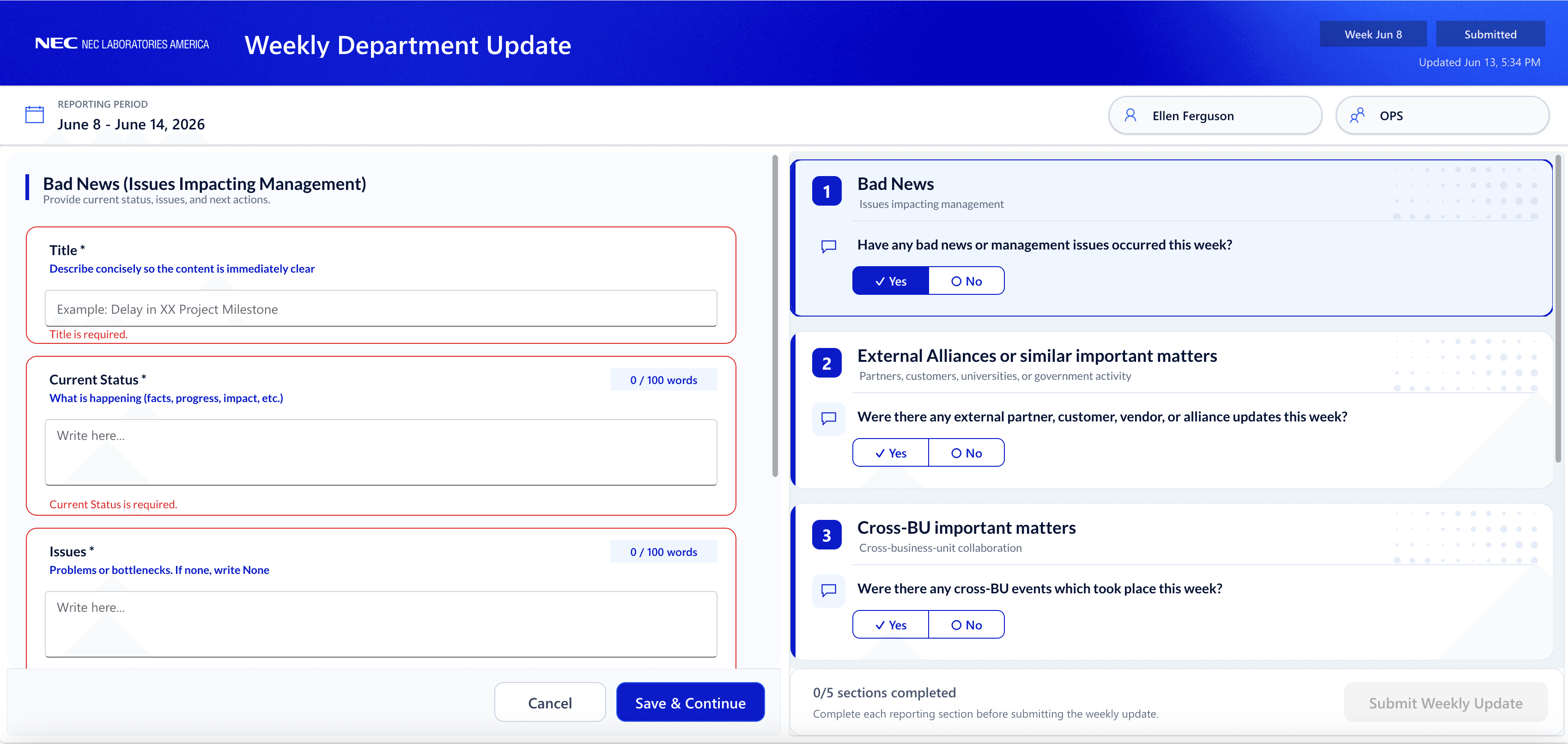
Department heads submit weekly updates through a centralized Power Apps interface. The app standardizes the reporting format and stores submissions in SharePoint Lists.
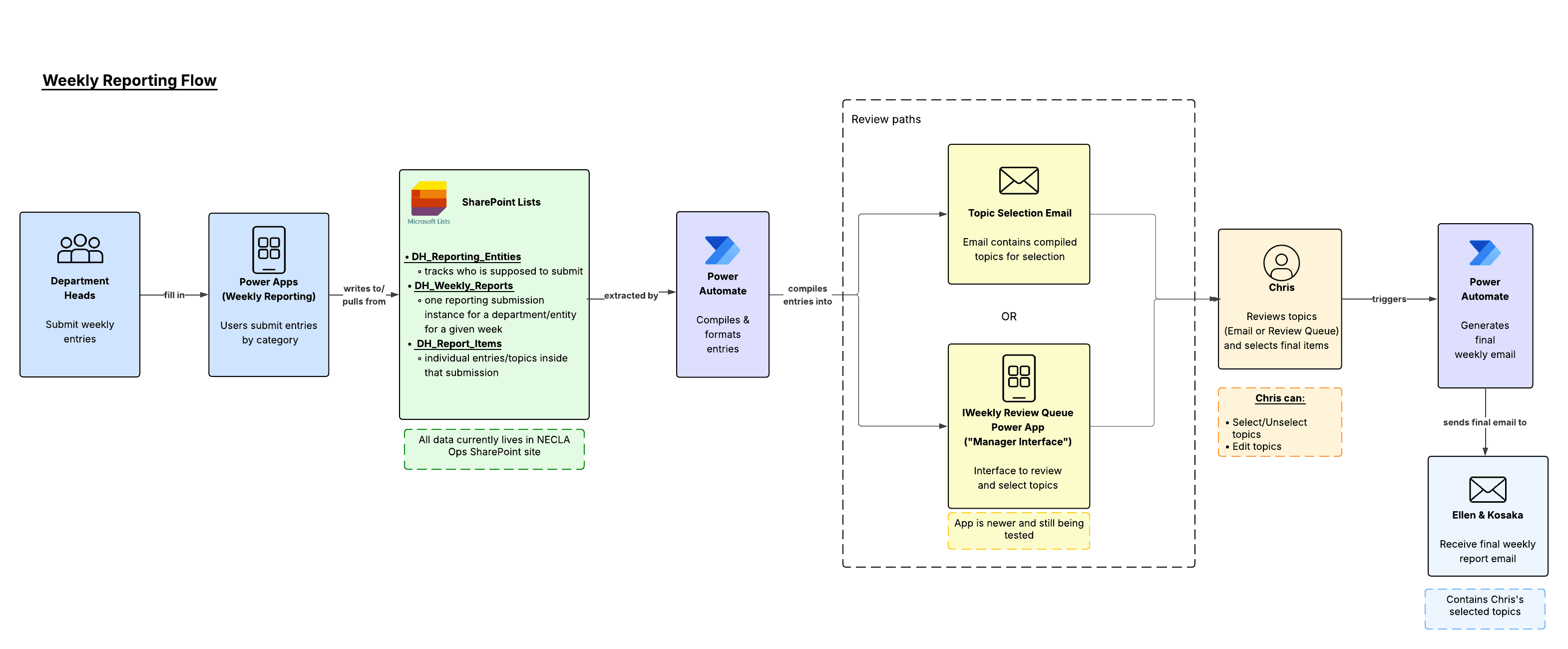
Weekly Reporting Workflow
The workflow moves department updates from structured app submissions into SharePoint records, review queues, topic selection, and automated report distribution.
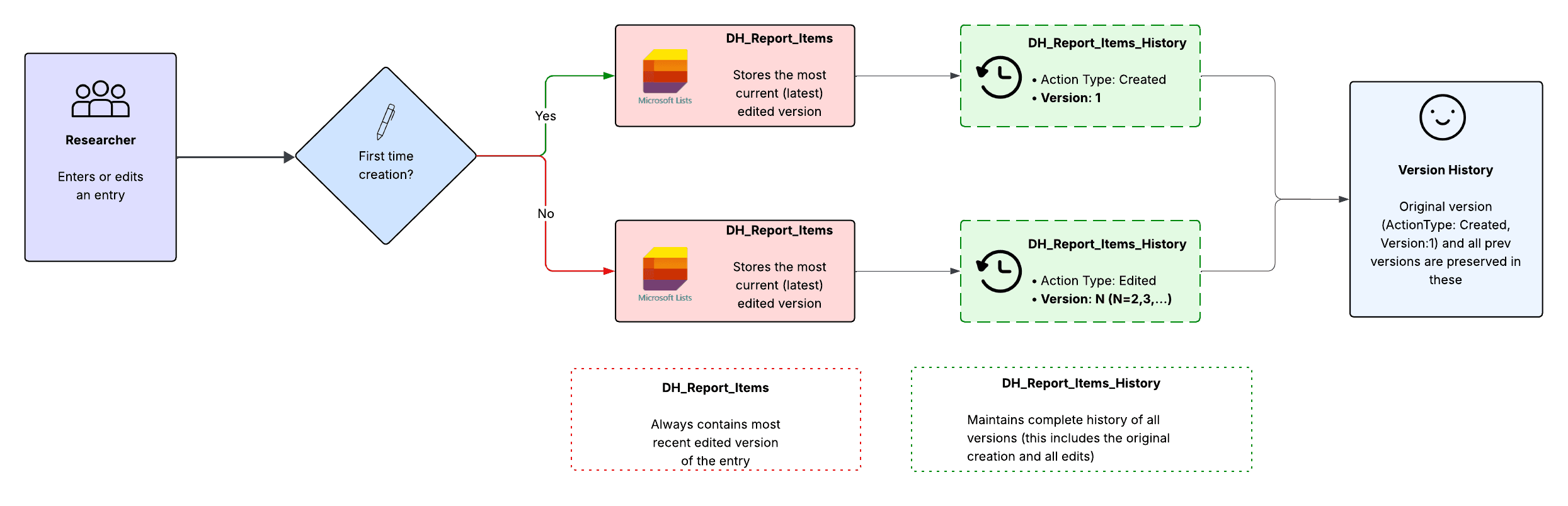
1B. Version History Design
Leadership needed the ability to edit report content before distribution, but original department submissions still needed to be preserved. To support this, the system separates original submissions from editable reporting copies and stores historical versions for auditability.
2. Leadership Review & Topic Selection
Leadership can review submitted topics through two complementary paths: a manager-facing Power Apps review queue and an email-based topic selection workflow. The review queue supports detailed review, editing, metadata tracking, and version history, while the email workflow allows lightweight topic selection directly from an inbox.
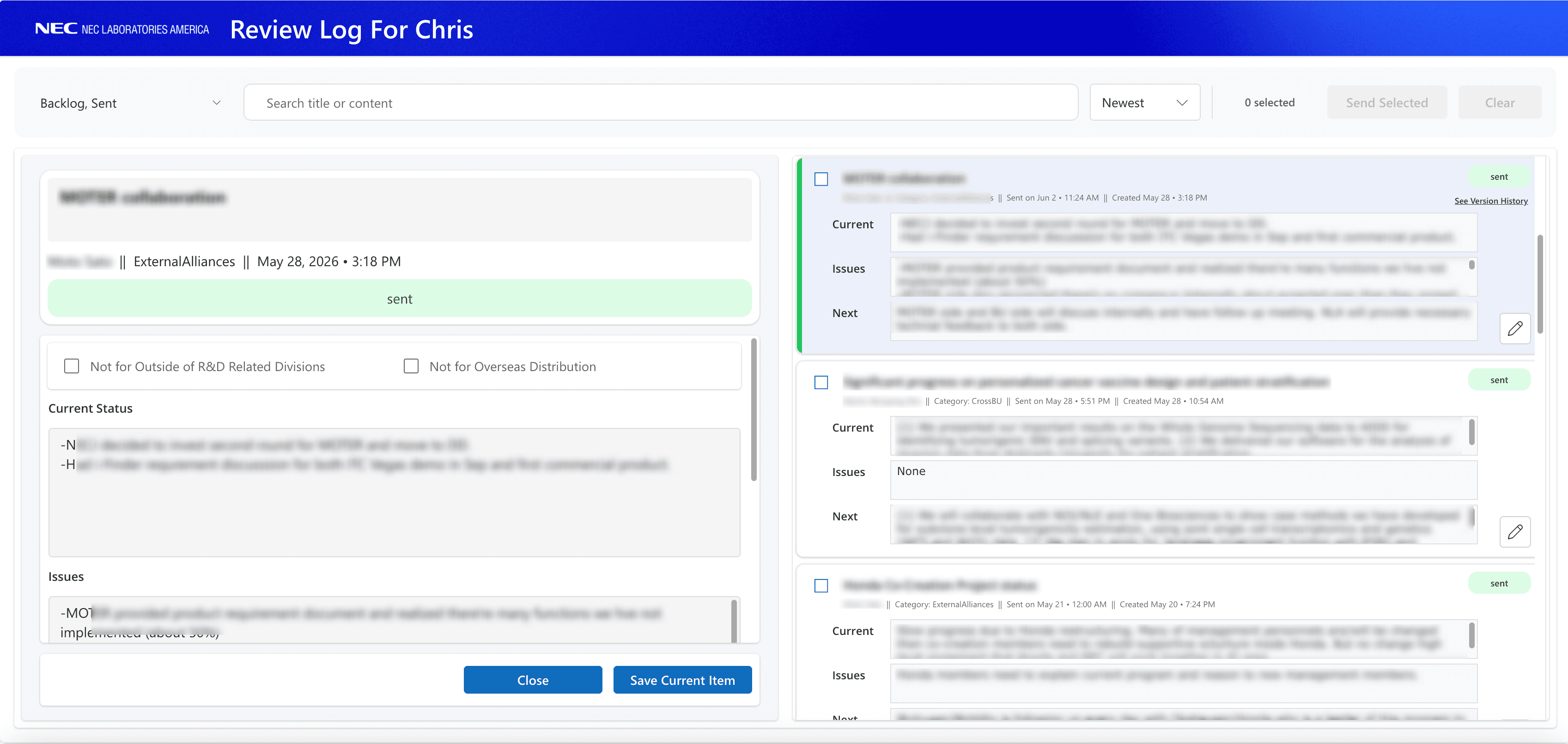
2A. Review Queue
The review queue gives leadership a centralized place to review submitted topics, edit reporting copies, track metadata, and preserve version history without overwriting original department submissions.
2B. Topic Selection Email Workflow
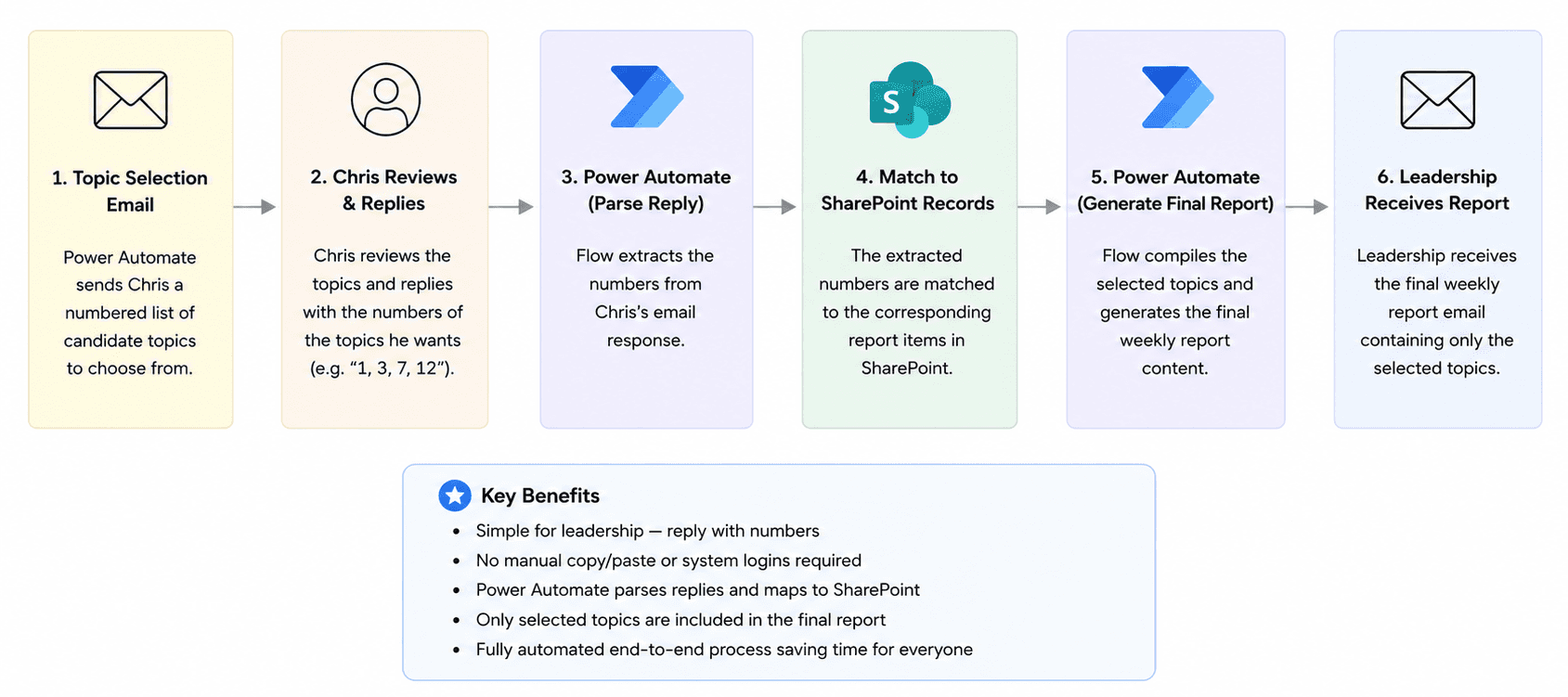
To keep executive review simple, I designed an email-based topic selection flow. The president receives a numbered list of candidate topics and can select items by replying with topic numbers. Power Automate parses the response, maps the selected numbers back to SharePoint records, and generates the final report automatically.
Weekly Topic Selection Email
Every week, Power Automate generates a structured topic selection email for leadership. Topics are grouped by category and assigned display numbers that can be referenced directly in a reply.
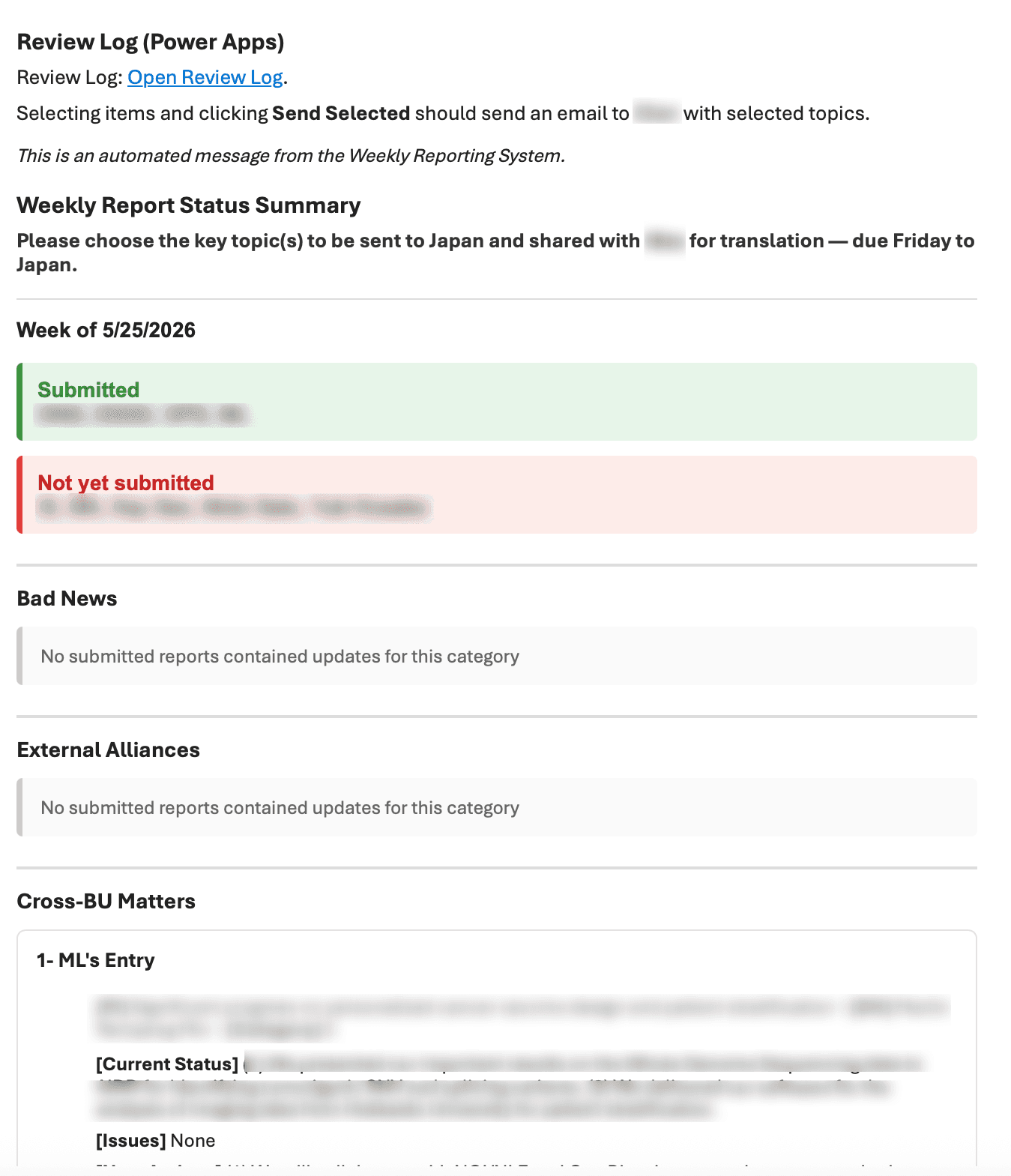
Weekly topic selection email showing submission status, categorized topics, and numbered selections
Backlog Management
Topics that are not selected are retained and surfaced in future reporting cycles. This prevents important updates from being lost while still allowing leadership to prioritize the most relevant items each week.
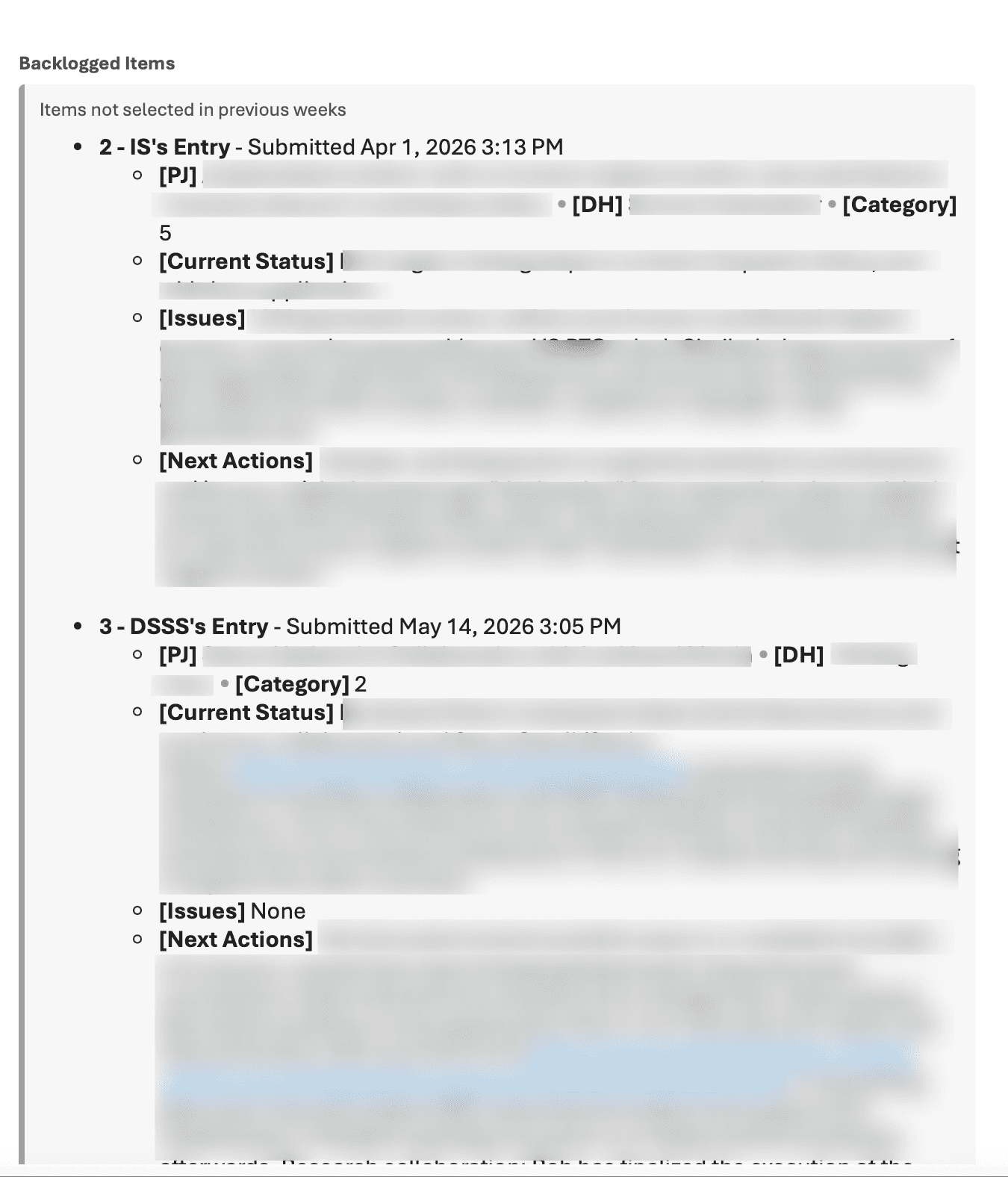
Backlogged topics remain available for future selection and reporting
Selection Parsing and Final Report Generation
The selected numbers are parsed by Power Automate, matched back to SharePoint records, and used to generate the final report email.
3. Power Automate Workflow Suite
Power Automate flows track who has submitted, send reminder emails, generate weekly reports, process topic selections, and route selected topics for international reporting.
- Monday submission request emails
- Wednesday reminder emails for non-submitters
- Submission tracking based on SharePoint records
- Topic selection email generation
- Reply parsing and selected-topic mapping
- Backlog handling for unselected topics
- Final report formatting and distribution
Results
- Deployed and actively used by 5 departments
- Collected 17+ production submissions
- Replaced spreadsheet-based weekly reporting with a centralized application
- Standardized reporting formats across departments
- Automated reminder emails, submission tracking, topic selection, and report generation
- Supported executive topic selection by the laboratory president
- Demoed and shared with NEC stakeholders in Japan and Europe
Design Decisions
Standardizing Reporting
A major goal was to replace inconsistent spreadsheet-based reporting with a shared structure. The Power Apps interface gave departments a consistent way to submit updates, which made reports easier to review, compare, and distribute.
Supporting Multiple Review Paths
The system supports both a Power Apps review queue and an email-based topic selection workflow. This allowed different users to interact with the same underlying reporting data in the way that best matched their workflow: detailed review inside the app, or quick topic selection directly through email.
Separating Original Submissions from Reporting Copies
Leadership needed the ability to edit report content before distribution, but the original submission still needed to be preserved. To support this, the review queue uses editable reporting copies while maintaining metadata and version history.
Tracking Topic Status
Topics move through clear workflow states such as current, backlogged, and sent. This helps leadership distinguish new topics, previously unselected topics, and topics that have already been distributed.
Automating Reminders and Follow-Up
Instead of manually checking spreadsheets and sending follow-up emails, Power Automate tracks submission status and sends reminders based on who has not submitted.
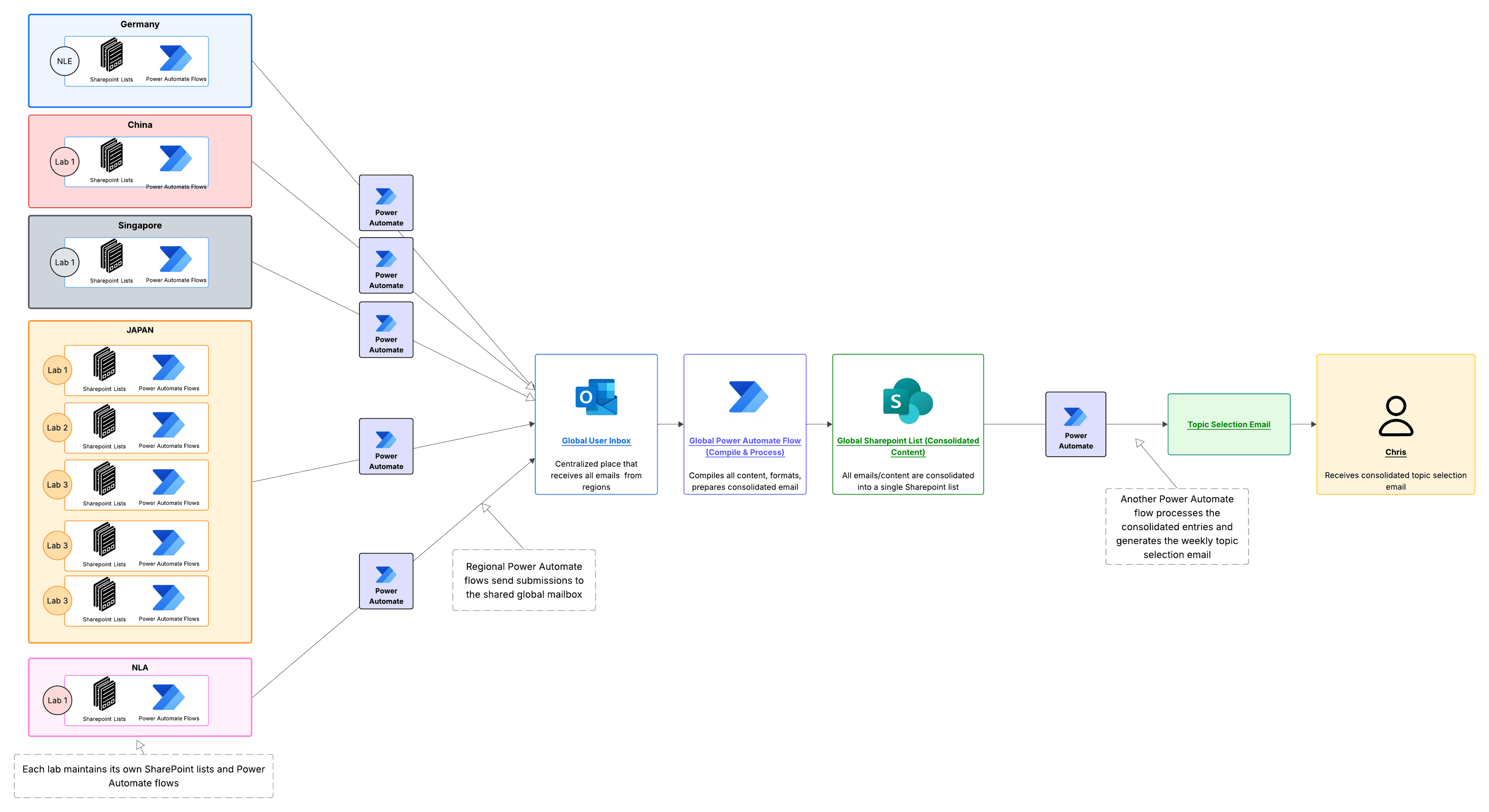
Global Rollout Architecture
I also packaged the SharePoint lists, Power Automate flows, and Power Apps components so NEC Europe and Japan teams could adapt the workflow in their own environments. This extended the project from a local reporting tool into a reusable architecture for regional reporting workflows.
Current Expansion: Hierarchical Review Workflow
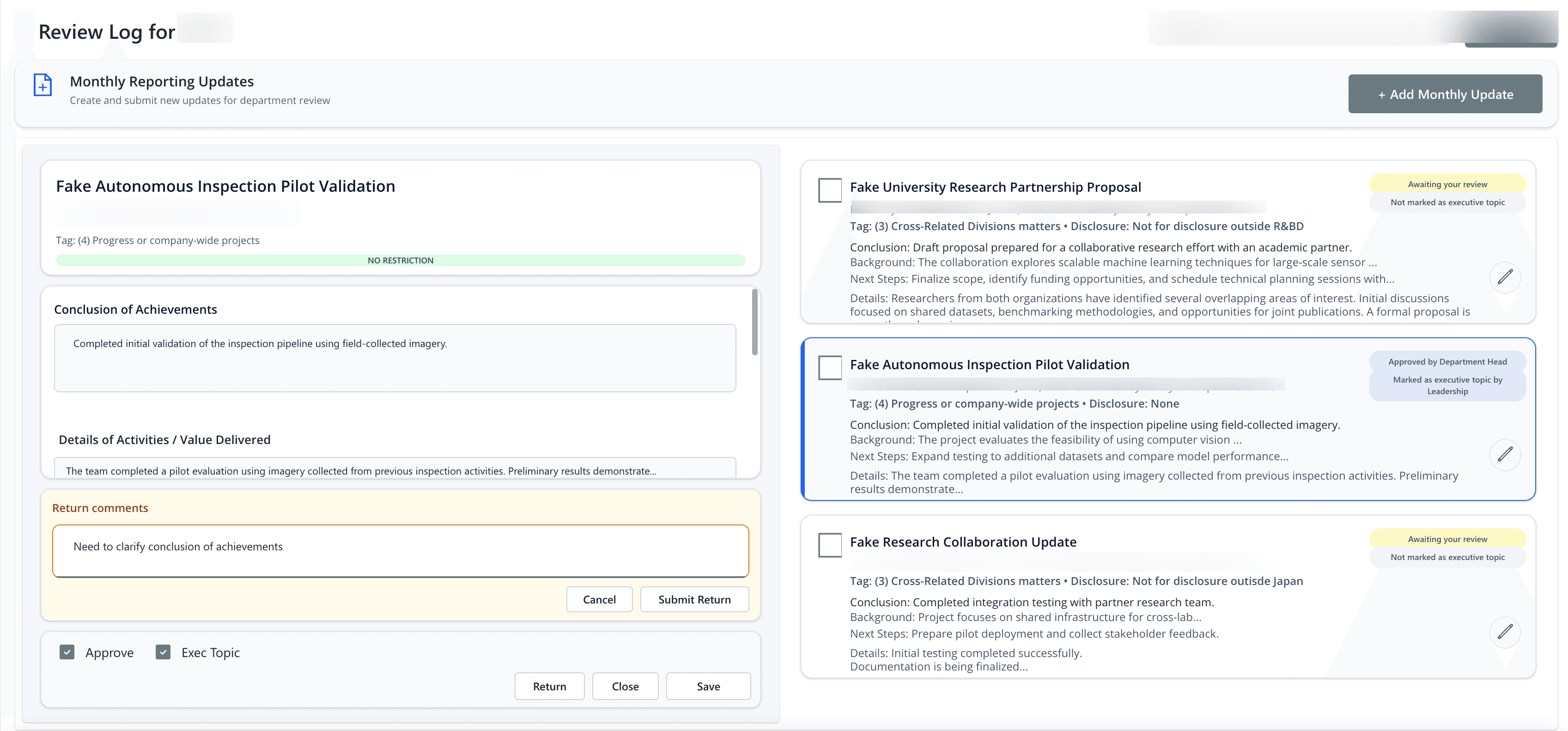
Following deployment of the weekly reporting platform, leadership requested a more structured approval process that mirrors the organization's management hierarchy.
The next iteration of the system introduces a cascading review workflow where updates move through multiple levels of management before reaching executive review. Managers can approve submissions, request revisions, return items for correction, or designate entries as executive topics.
The prototype below explores how events can move both upward through approval chains and downward through feedback loops while preserving review history and auditability.
Technologies
Power Apps, Power Automate, SharePoint Lists, Office 365 Users, Outlook, ExcelScript